

Run macOS Sample Application
Environment Requirements
- macOS Version:
macOS 10.14and above - Development Language:
Objective-C - Architecture Support:
x86_64,arm64(Apple Silicon)
Get Sample Source Code
Clone the GitHub repository locally, and navigate to the demo/macos directory.
# clone
git clone https://github.com/pixpark/facebetter-sdk.git

# Enter macOS Demo directory
cd facebetter-sdk/demo/macos

# Install dependencies
pod install
Xcode 15+ Compilation Error Handling
If you are using Xcode 15 or later, you might encounter a Sandbox: rsync.samba deny(1) error during compilation. This is caused by Xcode's default User Script Sandboxing being enabled.
Solution:
- Select your Project in Xcode.
- Navigate to the Build Settings tab.
- Search for
ENABLE_USER_SCRIPT_SANDBOXING. - Change its value from
YestoNo.
Configure Application Information and Keys
Bind Application Bundle ID
Follow the instructions on this page to bind your macOS application Bundle ID in the console, for example: com.example.app
Get AppID and AppKey
Follow the instructions on this page to get your appid and appkey. Open ViewController.m in the project and modify the appid and appkey.
  FBEngineConfig *engineConfig = [[FBEngineConfig alloc] init];
  engineConfig.appId = @"your appId";
  engineConfig.appKey = @"your appkey";
  // Optional: If licenseJson is provided, license data verification takes priority, appId and appKey are not required
  // engineConfig.licenseJson = @"your license json string";

  self.beautyEffectEngine = [FBBeautyEffectEngine createEngineWithConfig:engineConfig];
TIP
licenseJson has higher priority than appId + appKey. If licenseJson is provided, you don't need to configure appId and appKey.
Run the Project
Open demo/macos/FBExampleObjc.xcworkspace
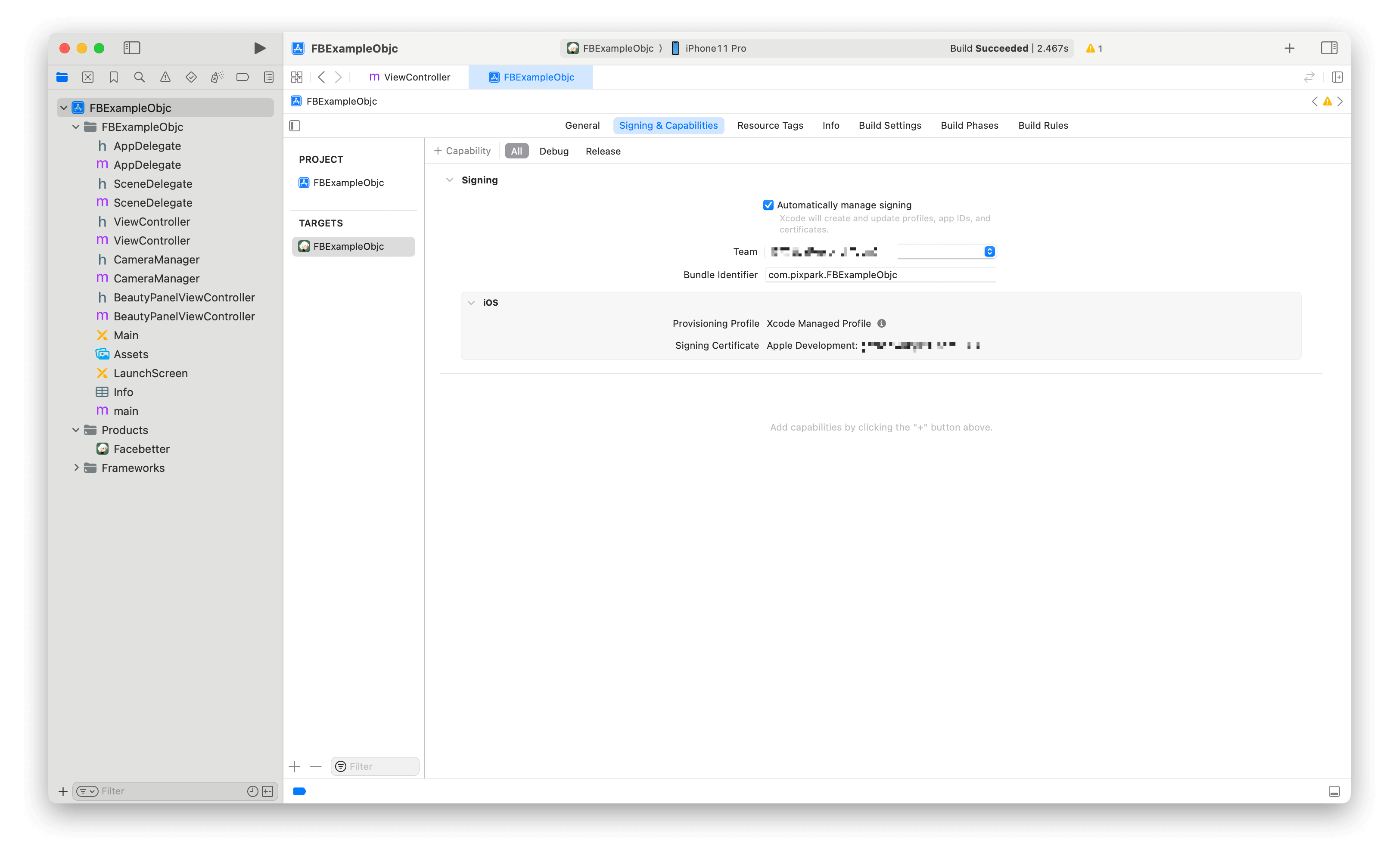
Ensure Xcode project signing is correct
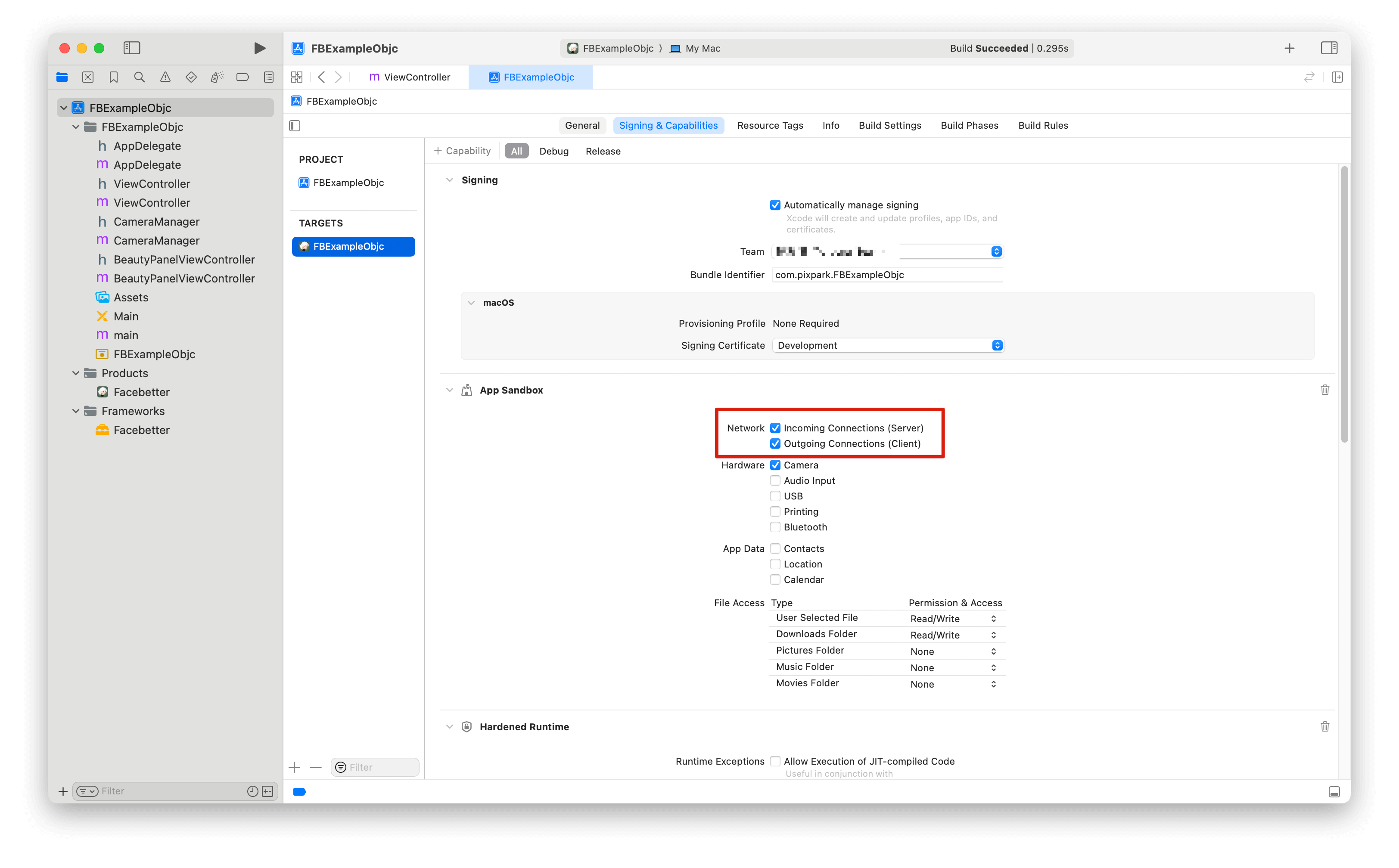
Ensure network permissions are enabled for appkey validation
Build and run
Select target device (Mac or Simulator) and click the build and run button.